



Most digital workflows treat file transfers as an “upward” move. You upload a file from a local machine to a remote folder. This traditional method forces you to deal with slow local internet speeds. You often face low upload bandwidth and unstable Wi-Fi.
Veno File Manager (VFM) changes this paradigm with Remote File Ingestion. Your server no longer waits for a local upload. Instead, it becomes an active agent. It fetches files directly from any source URL.
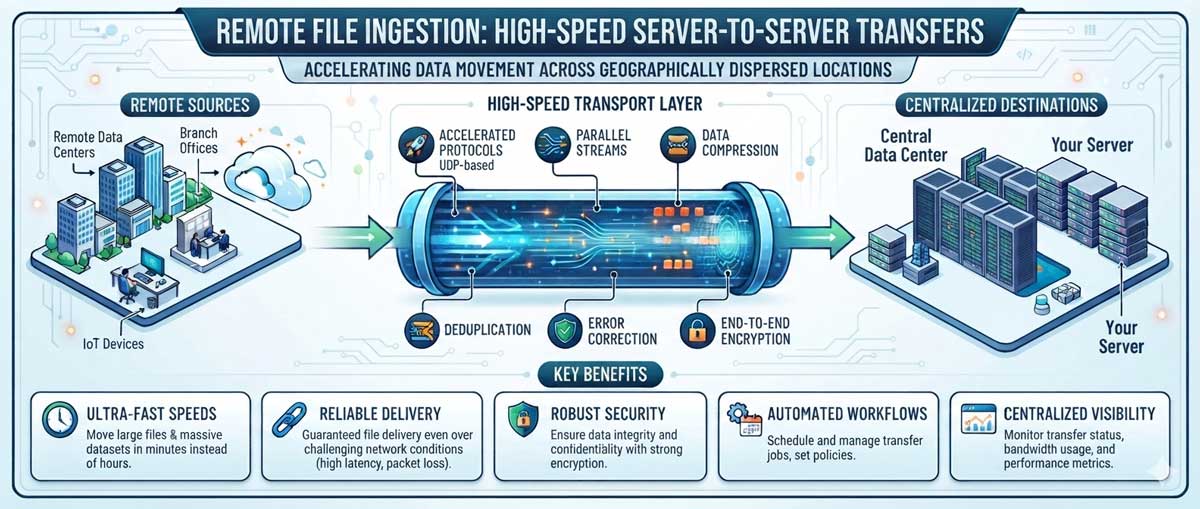
High-Speed Server-to-Server Transfers
Remote ingestion eliminates the “Download-then-Upload” cycle. Many projects require moving large assets like raw video or software builds. These files often sit on a CDN or a client’s staging site. The traditional route of downloading them first is redundant.
Paste a public link into VFM. The server then pulls the data directly via its high-speed backbone. An office connection might take hours to upload a 5GB file. A server-to-server transfer completes the same task in seconds. This keeps your local network clear for other critical work. Your bandwidth no longer suffers from a single large deployment.
Remote Management and Flexibility
This architecture also aids professionals on the move. Traveling users often face data caps or weak tethered connections. Uploading a massive file from a smartphone is nearly impossible.
The URL import tool turns your mobile device into a command center. You can trigger a multi-gigabyte transfer by pasting a link into the VFM interface. The data flows directly from the source to your server. Your phone only uses the tiny amount of data needed to send the command. The asset size no longer depends on your immediate connection quality.
Flat-File Architecture Integration
The strength of this feature lies in VFM’s database-free structure. The server streams data from a remote URL and writes it to the disk.
VFM reads the file system in real-time. Therefore, you do not need a manual import or a database sync. The file appears for authorized users as soon as the stream closes. Teams meeting tight deadlines can distribute assets to clients almost instantly.
Best Practices for Secure Deployment
You must configure your server correctly to use remote ingestion. The feature requires the PHP allow_url_fopen directive.
Security remains a priority during these transfers. Use standard file system hardening to protect your data. Keep directory permissions at 755. This allows the PHP process to write the incoming data safely. It also prevents unauthorized modifications to your root directory.
Let your server do the heavy lifting. You can transform your file manager into a high-performance hub. Deliver assets quickly, regardless of your local hardware or connection speed.